Loops repeat a block of HTML for each entry in a collection (or each item in an array field). Use them for blog indexes, product grids, nav links, tags, and galleries.
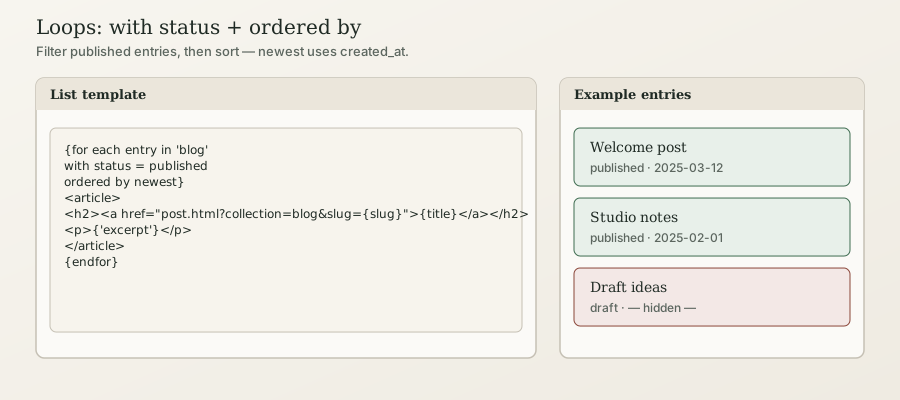
In short: {for each entry in 'blog'}…{endfor} prints one block per entry. Filter with with (e.g. with status = published). Sort with ordered by newest, oldest, last-updated, or order. Optionally end with limit 5. Do not use sort=, limit=, or {from 'blog' get entries} — those are not the public language.
Beginner
Basic collection loop
<h1>Blog</h1>

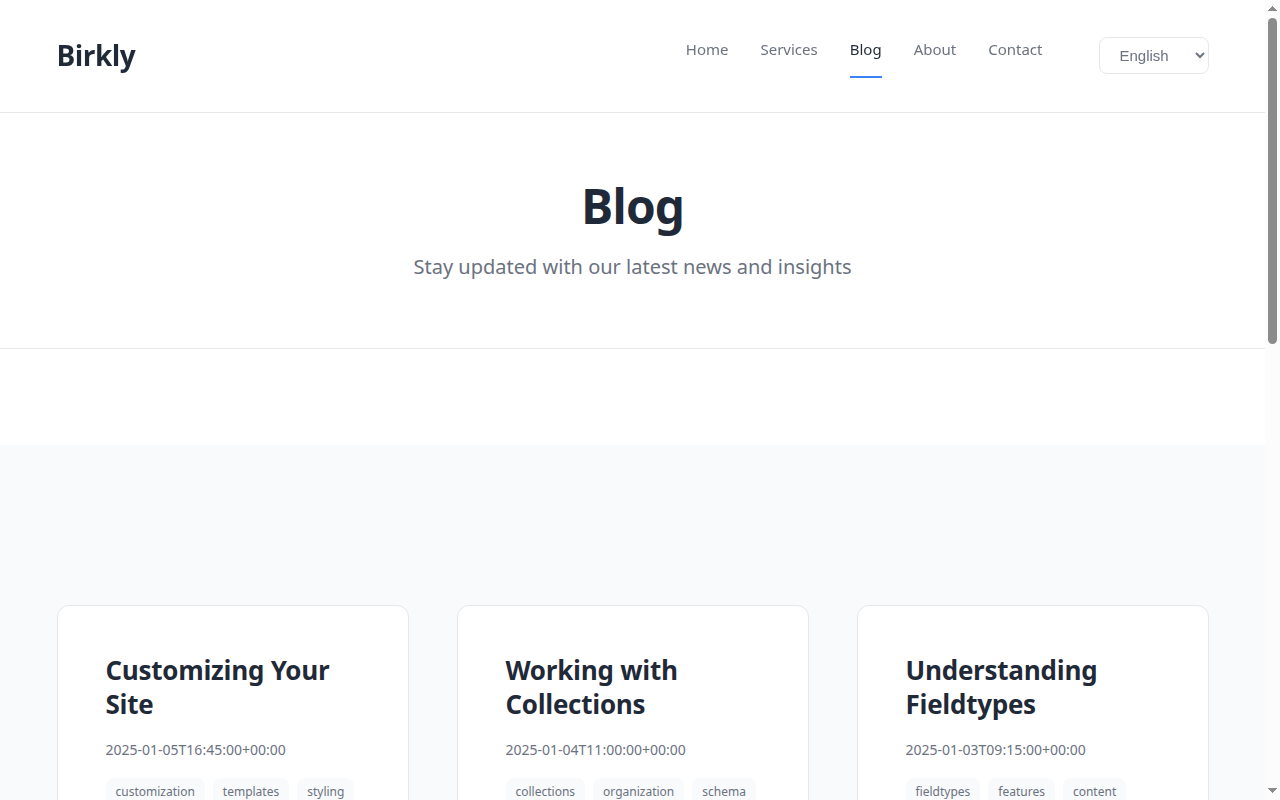
{for each entry in 'blog' with status = published ordered by newest}
  <article>
    <h2>
      <a href="post.html?collection=blog&slug={slug}">{title}</a>
    </h2>
    {if entry has 'excerpt'}
      <p>{'excerpt'}</p>
    {endif}
    <time>{created_at format "F j, Y"}</time>
  </article>
{endfor}'blog'is the collection slug from admin.- Inside the loop,
{title},{slug},{'excerpt'}are the current entry. - Link to a detail page with
?collection=…&slug={slug}— see Detail pages.
Filters (with)
{for each entry in 'blog' with status = published}
{for each entry in 'blog' with 'category' = 'news'}
{for each entry in 'products' with 'price' <= 15}statusis a system field (common values:published,unpublished,scheduled,pending).- Quoted names are user fields.
Ordering (ordered by)
| Phrase | Meaning |
|---|---|
ordered by newest | Newest created_at first |
ordered by oldest | Oldest created_at first |
ordered by last-updated | Most recently updated_at first |
ordered by order | Numeric order or sort_order ascending (menus / nav) |
{for each entry in 'blog' with status = published ordered by newest}
{for each entry in 'nav-links' ordered by order}
Important: newest / oldest always use created_at. For a hand-ordered menu, use ordered by order and set an order (or sort_order) field on each entry.
Limit (latest N)
Trailing limit N (space, not =):
{for each entry in 'blog' with status = published ordered by newest limit 5}
  <h2>{title}</h2>
{endfor}
Empty state
Loops over empty collections render nothing. Show a message with a surrounding conditional when you need one (see Conditionals and From…get / existence).
Array fields (tags, multiselect)
Loop the field name (quoted reads from the current entry):
{if entry has 'tags'}
  {for each tag in 'tags'}
    <span class="tag">{tag}</span>
  {endfor}
{endif}- Loop variables:
tag,cat,id, or{entry}/{.}for scalar lists. - Direct output
{'tags'}prints a comma-separated list when the schema type istagsormultiselect(page bundle_field_types).
Gallery / multi-image
Prefer the shelf helper {gallery_html('gallery')} or loop media ids:
{if entry has 'gallery'}
  {for each id in 'gallery'}
    {media_img(id)}
  {endfor}
{endif}
See Media in templates and Core template shelf.
Sub-collections
{for each entry in 'comments' of 'blog'.current ordered by newest}
  <p><strong>{'author'}</strong> {'content'}</p>
{endfor}
Full guide: Sub-collections in templates.
Collection groups (nav tree)
{for each group in collection_groups}
  <h2>{name}</h2>
  {for each slug in group.collections}
    <a href="/{slug}/">{slug}</a>
  {endfor}
{endfor}
See Collection groups.
Advanced Users
For developers & AI
Canonical loop grammar
{for each <var> in '<collection>' [of '<parent>'.<id|slug|current|newest>] [with <filters>] [ordered by <phrase>] [limit N]}
  …
{endfor}
Single-item selection
{for newest entry in 'blog'}
  <h2>{title}</h2>
{endfor}
Also: {from 'blog' get newest entry.title} (inline).
Phantoms to reject
| Do not write | Write instead |
|---|---|
{from 'blog' get entries limit=5 sort="date:desc"} | {for each entry in 'blog' ordered by newest limit 5} |
{for each entry in 'blog' limit=5 sort="date:desc"} | … ordered by newest limit 5 |
ordered="date:desc" on <birkly-region> | ordered="newest" |
Regions
<birkly-region collection="blog" list ordered="newest">
  <article><h2>{title}</h2></article>
</birkly-region>
Detail anti-pattern: Never put a full-collection {for each entry in 'blog'} on the post detail page. Use URL context — Detail pages.
Published-only: Live public loops return published entries. Drafts stay in admin until published.